Every feature, in plain sight.
See what disciplined crypto trading on Kraken actually looks like: walk-forward backtesting with no look-ahead bias, a market scanner, a risk engine with a kill switch, transparent signal rejections and a full audit trail.
No profit promises. Paper trading by default. Read the risk disclaimer before using live mode.
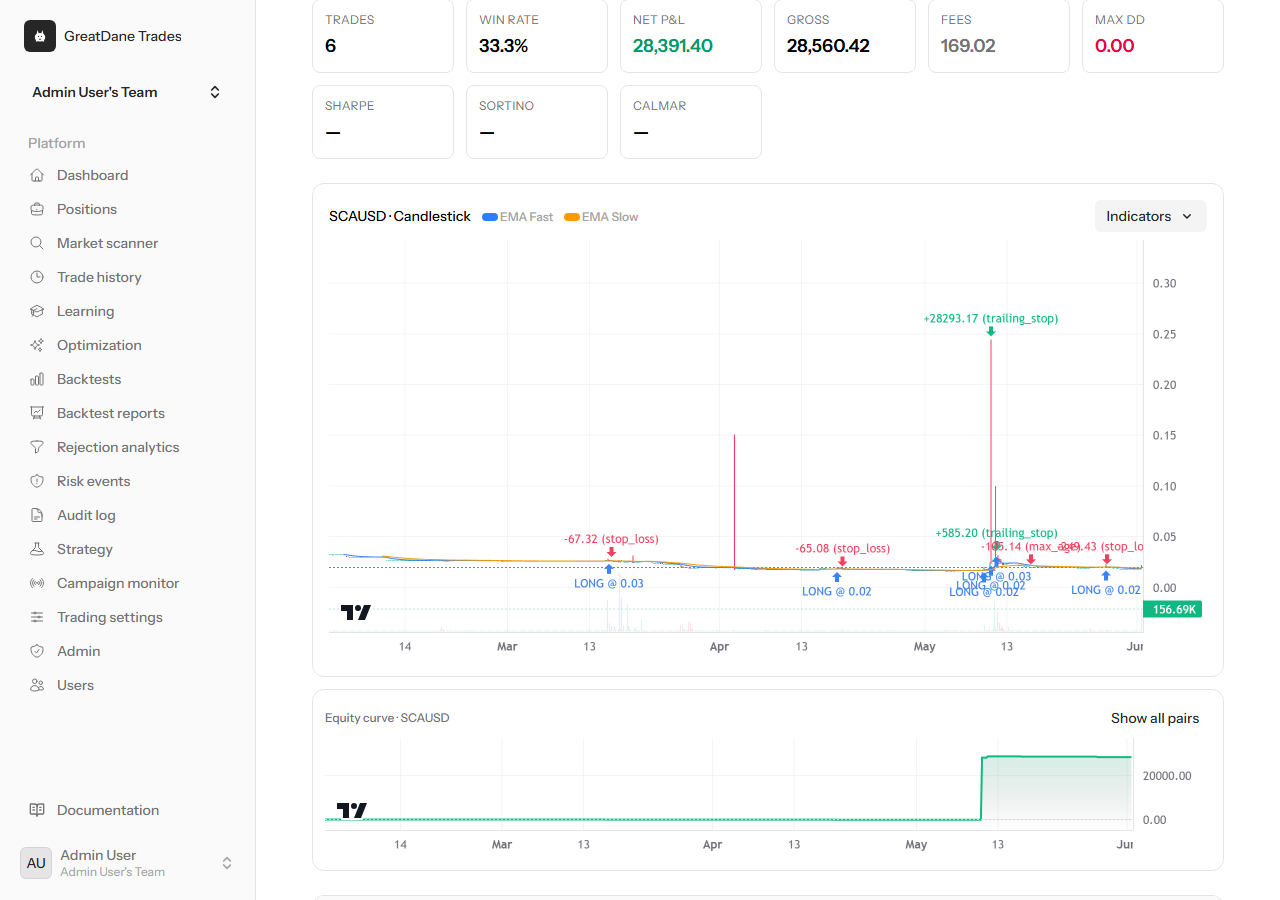
See every trade on the chart, not just a summary number
Each backtest renders the OHLC candles with entries, exits, stops and take-profits marked in place. You can inspect exactly where a strategy acted on historical Kraken data instead of trusting a single headline statistic.
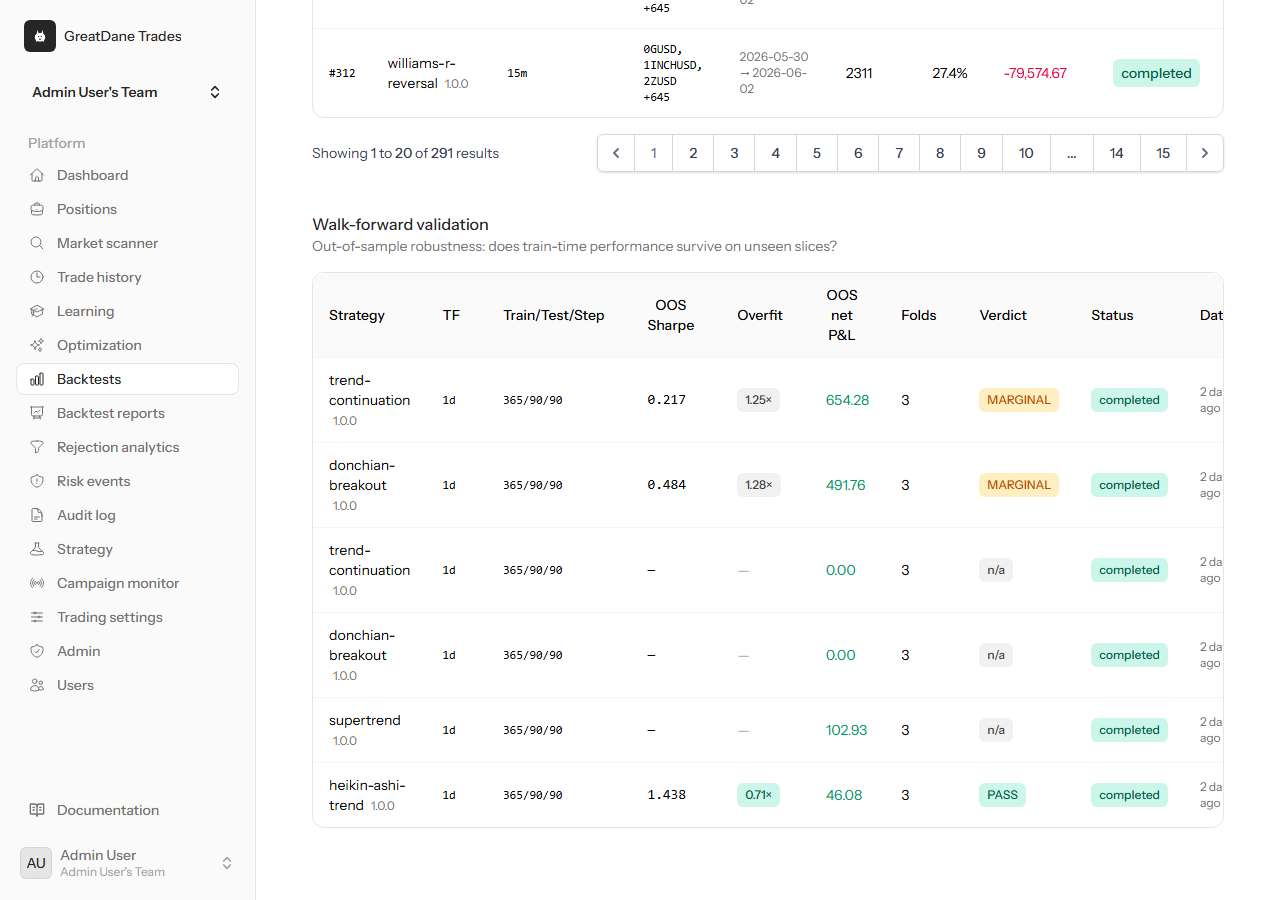
Walk-forward verdicts that test out-of-sample
Strategies are re-fit on one window and judged on the next, fold after fold, so results reflect data the model never saw. The verdict is plain: pass or fail, with the metrics that drove it.
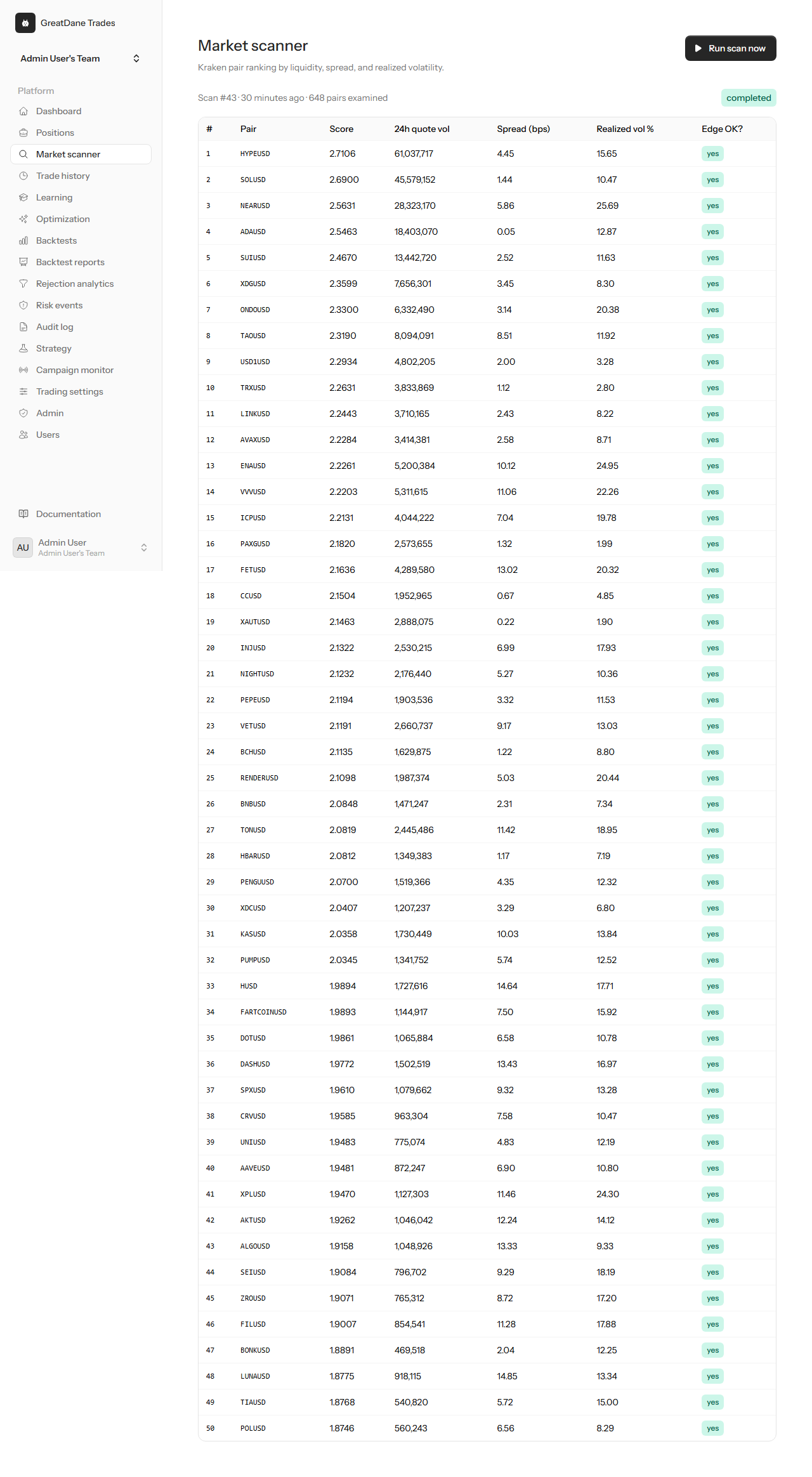
A focus list ranked by liquidity, spread and volatility
The scanner ranks Kraken pairs by realised volatility, spread and volume so attention goes where conditions actually support a trade — and skips the rest.

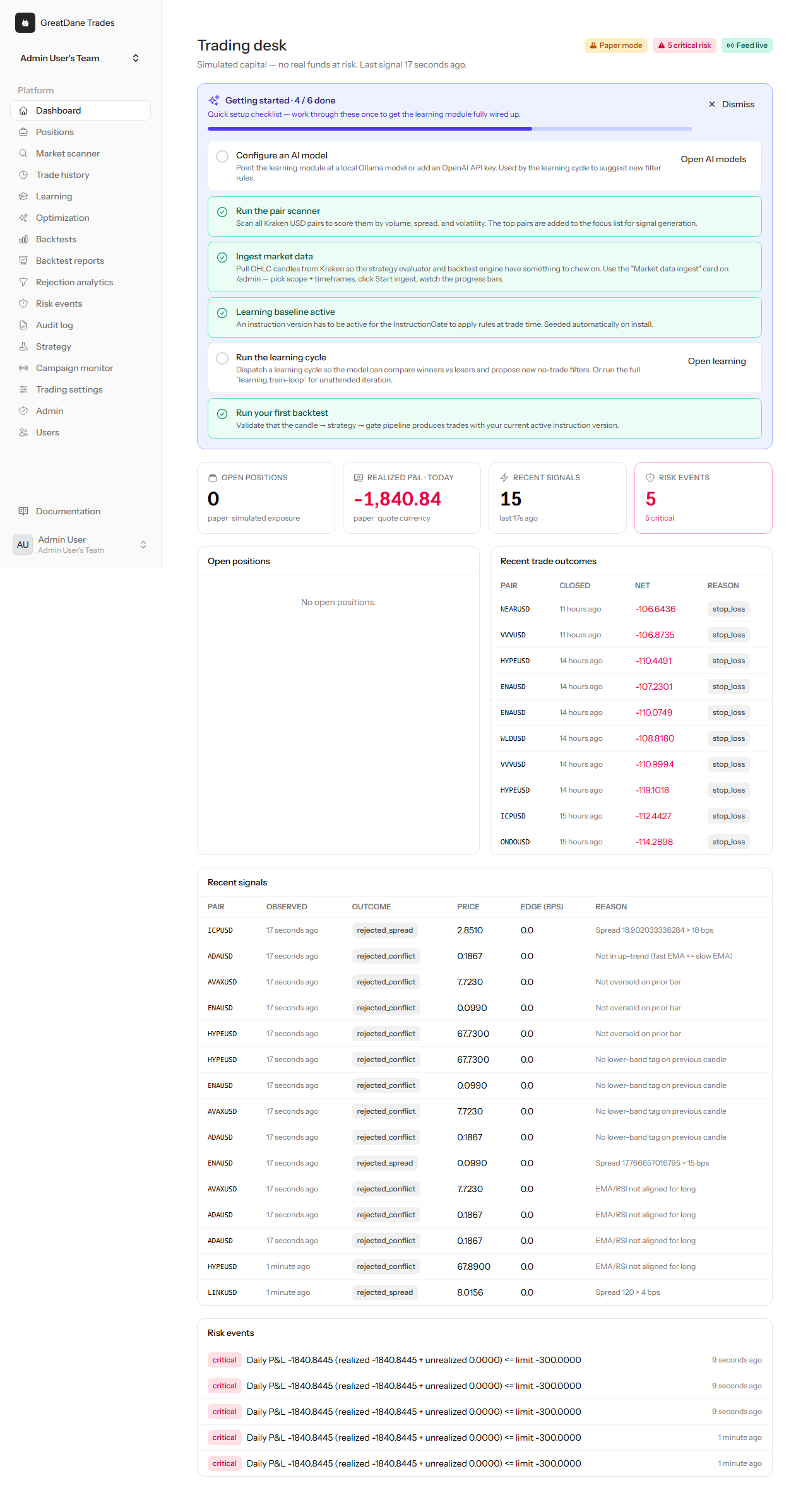
One screen that tells you what the machine did and why
Trading mode, kill-switch state, open paper exposure, realised P&L and recent signals at a glance. Labels are written so a zero is never mistaken for a win.

Backtesting & research
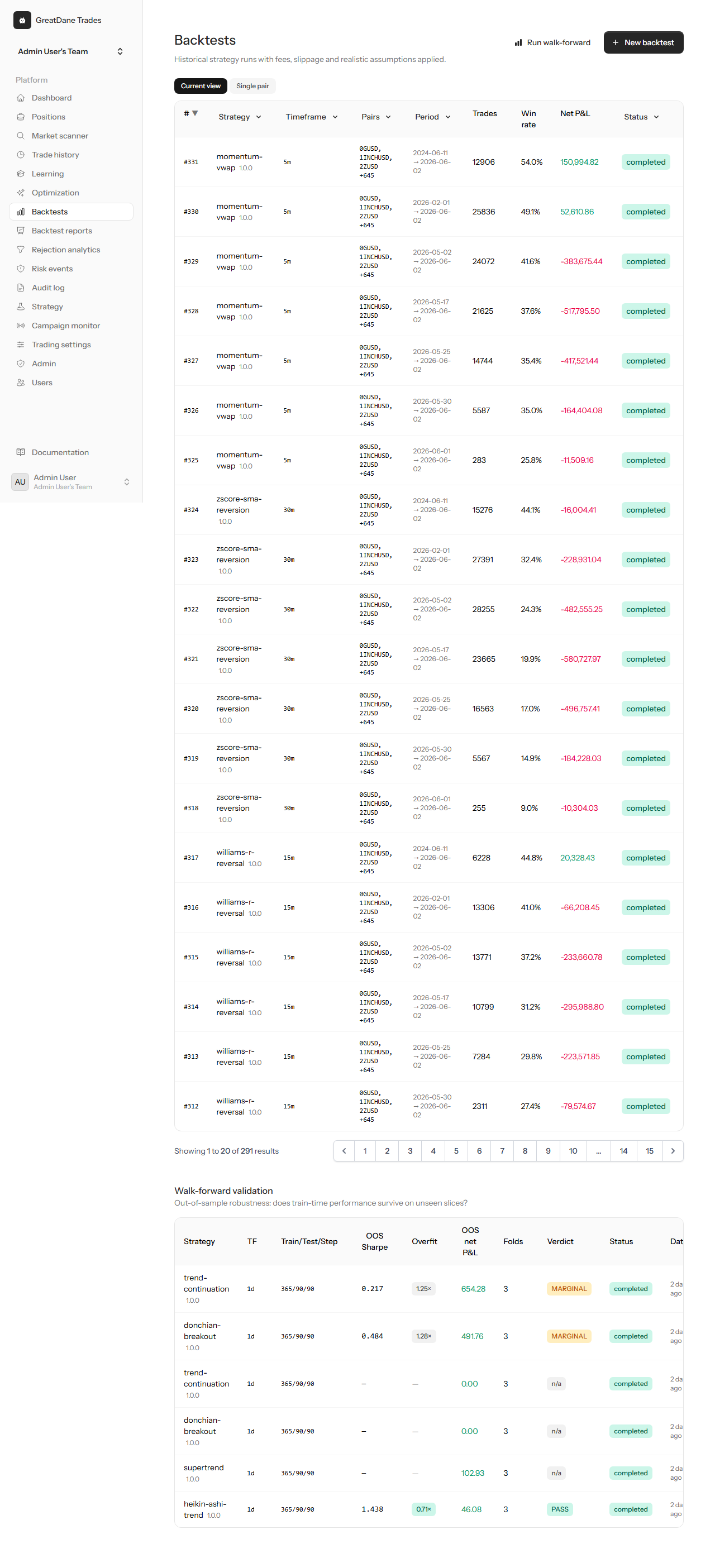
Every replay listed with win rate, profit factor, max drawdown, fees paid and net P&L — the costs included, not hidden.
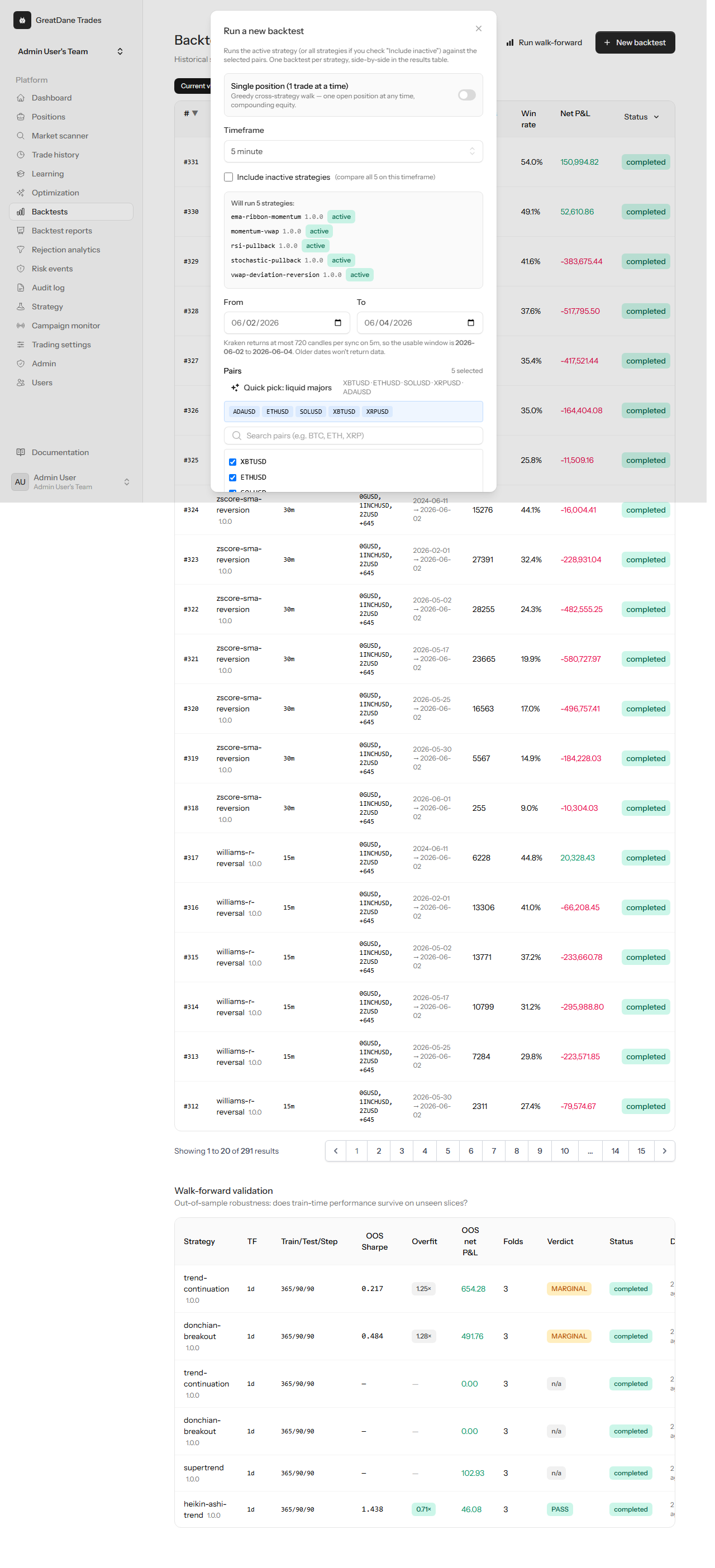
Pick a strategy, pair set and date range. Paper-grade assumptions and the realistic cost model are applied automatically.
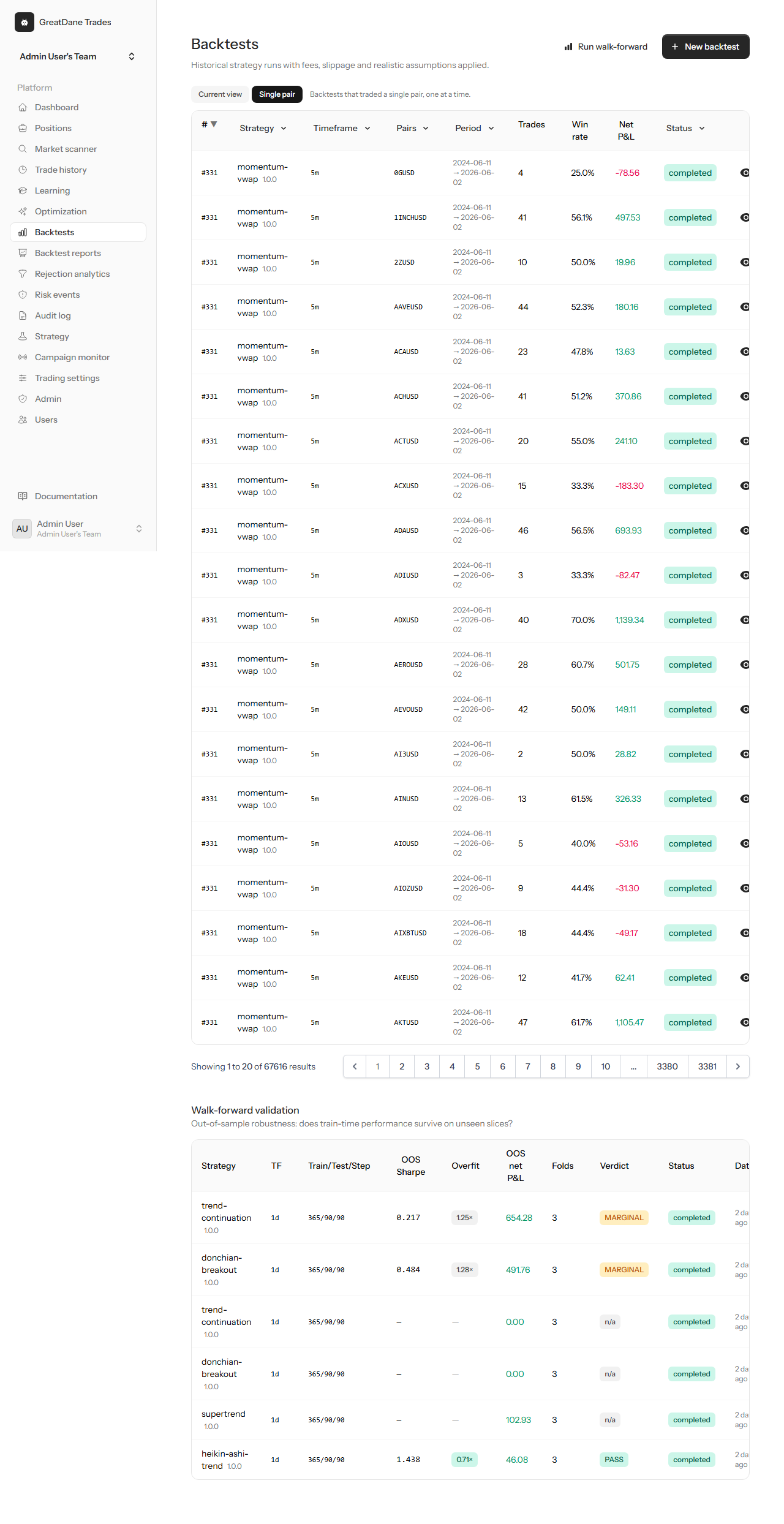
Drill into a single pair so multi-pair headlines never paper over a strategy that only works on one symbol.
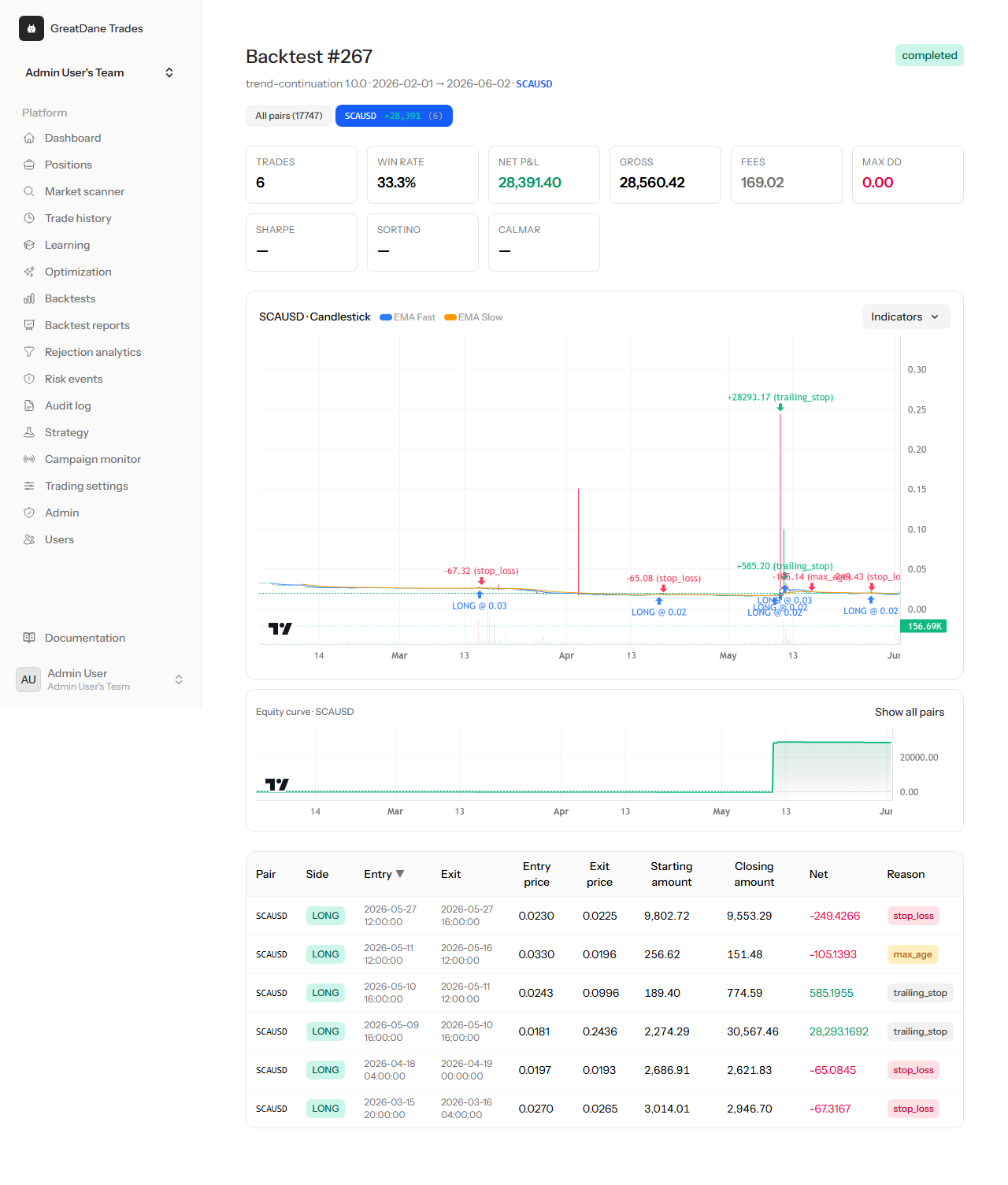
The full anatomy of a run: parameters, equity curve, per-trade ledger and the assumptions behind the numbers.
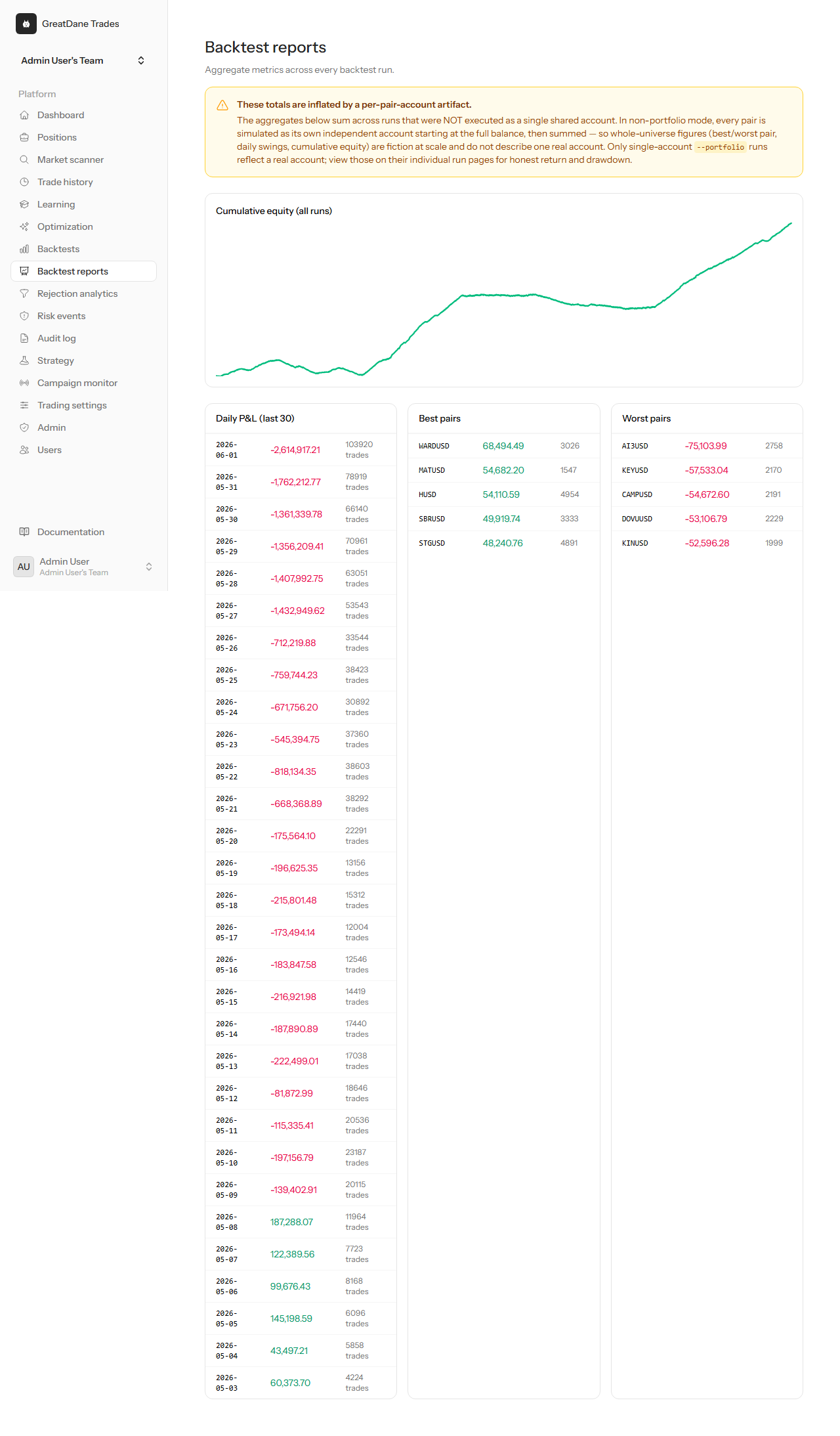
Per-trade reports you can read line by line — entry, exit, fees and the reason each trade closed.
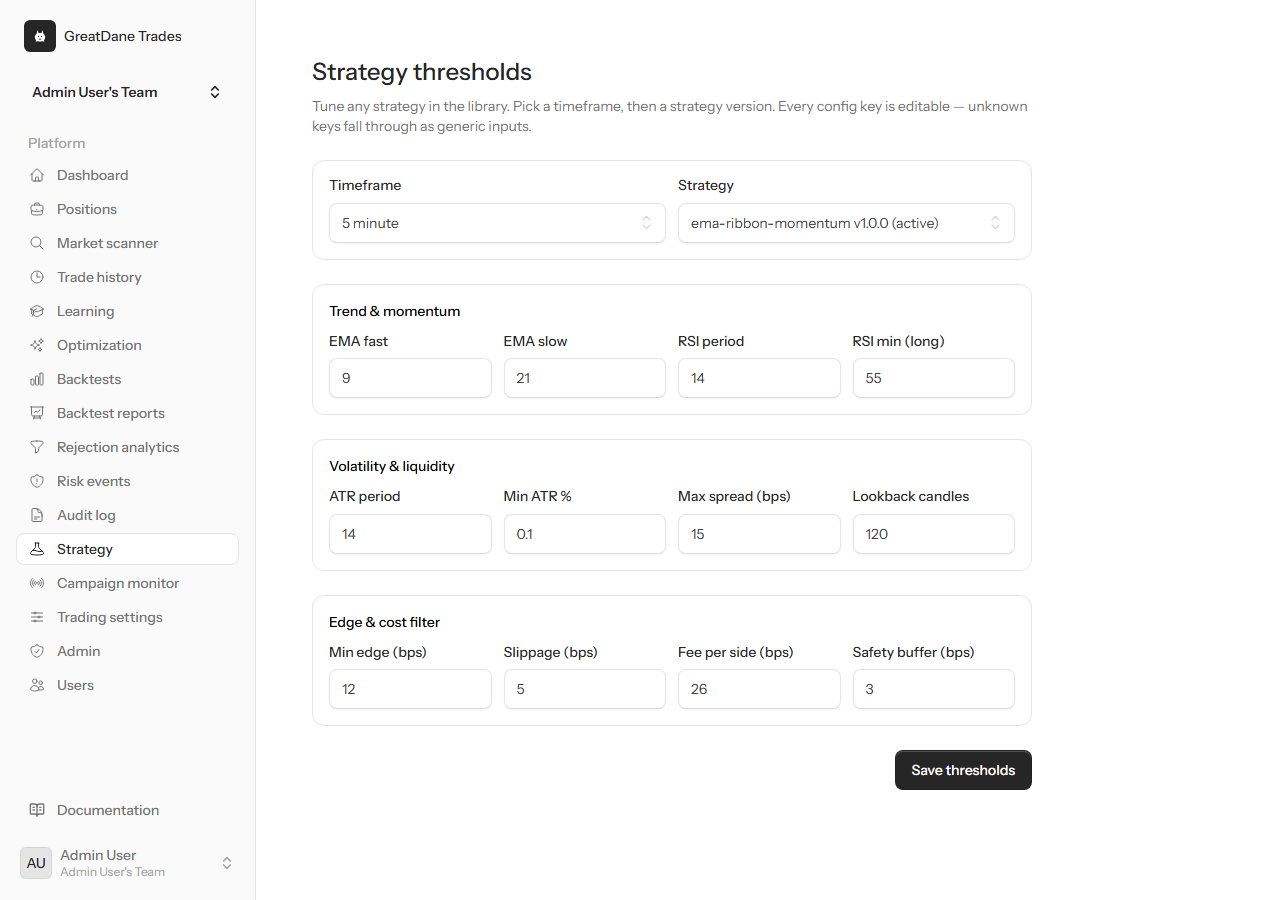
See the exact thresholds a strategy version uses so its behaviour is reproducible, not a black box.
Operate & monitor

Every strategy across each timeframe with its what, why and used-for, its entry, exit and risk rules, and its live P&L. Activation is gated — a strategy that is not profitable-after-fees in testing simply cannot be switched on.
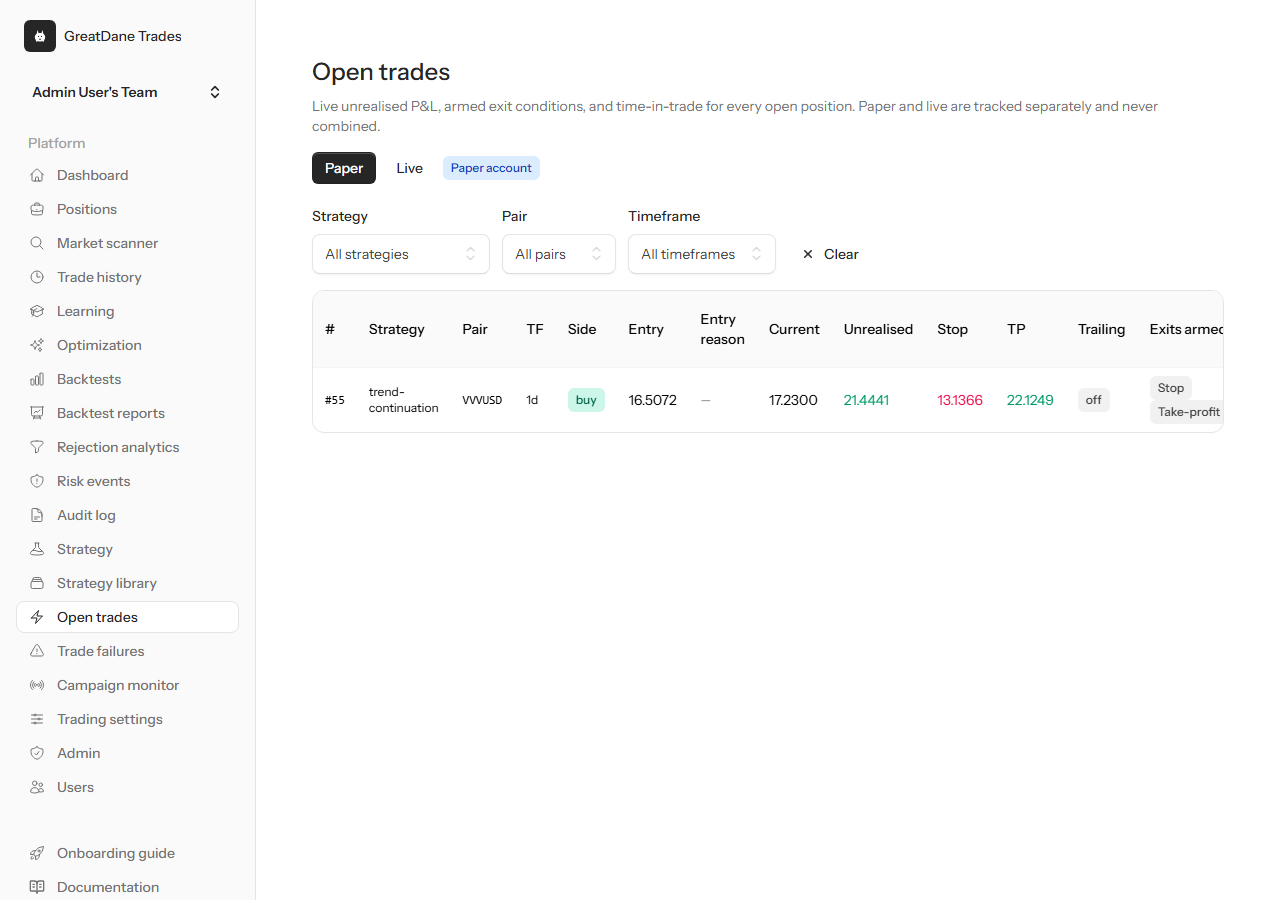
Live unrealised P&L for every position, with entry reason, current price, stop, take-profit, trailing level, the exit conditions armed, time-in-trade and the fees and slippage already incurred.
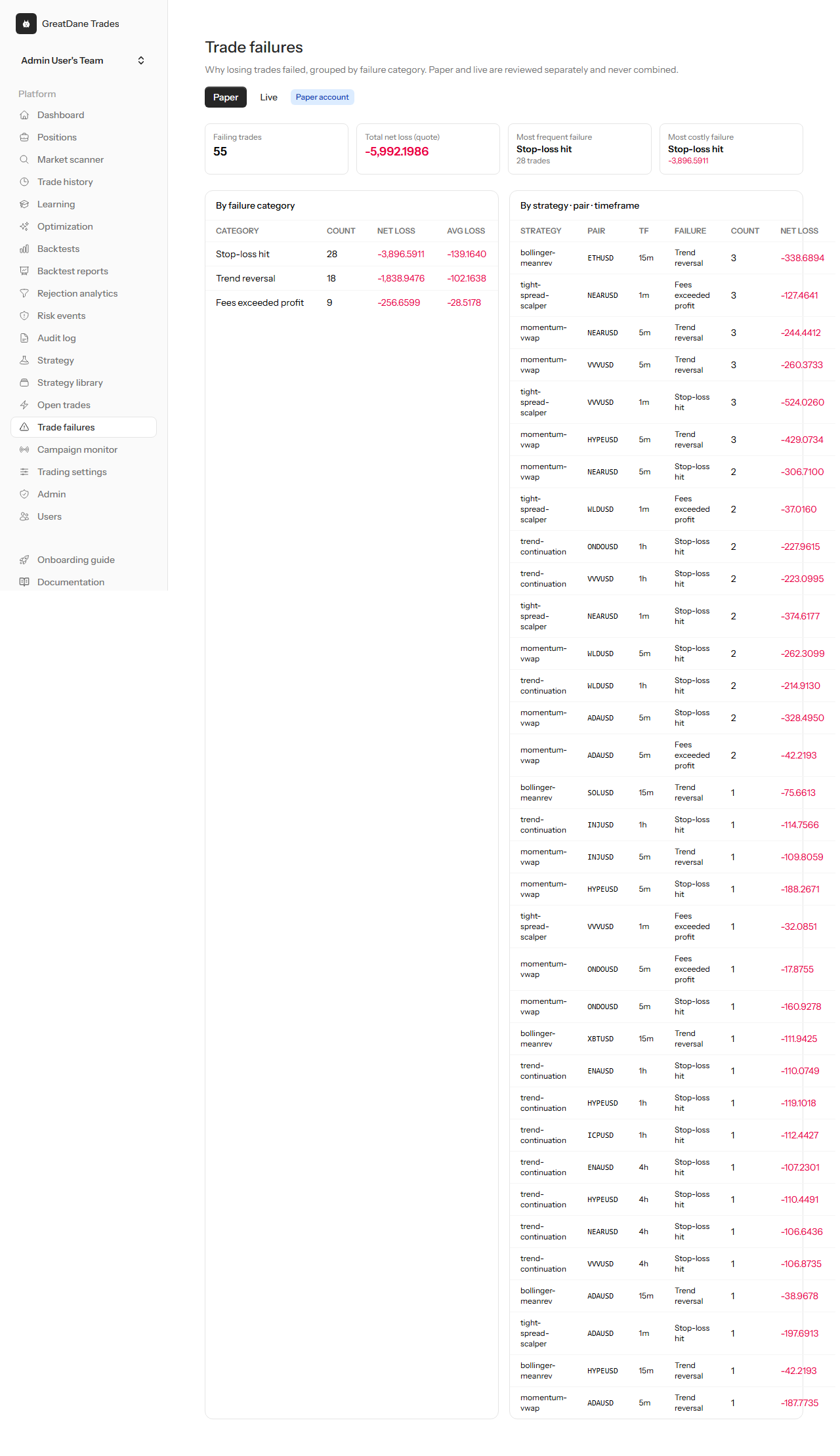
Losing trades grouped by a 14-reason failure taxonomy — stop hit, trend reversal, fees exceeding profit and more — so you can see why trades failed and fix the right thing.
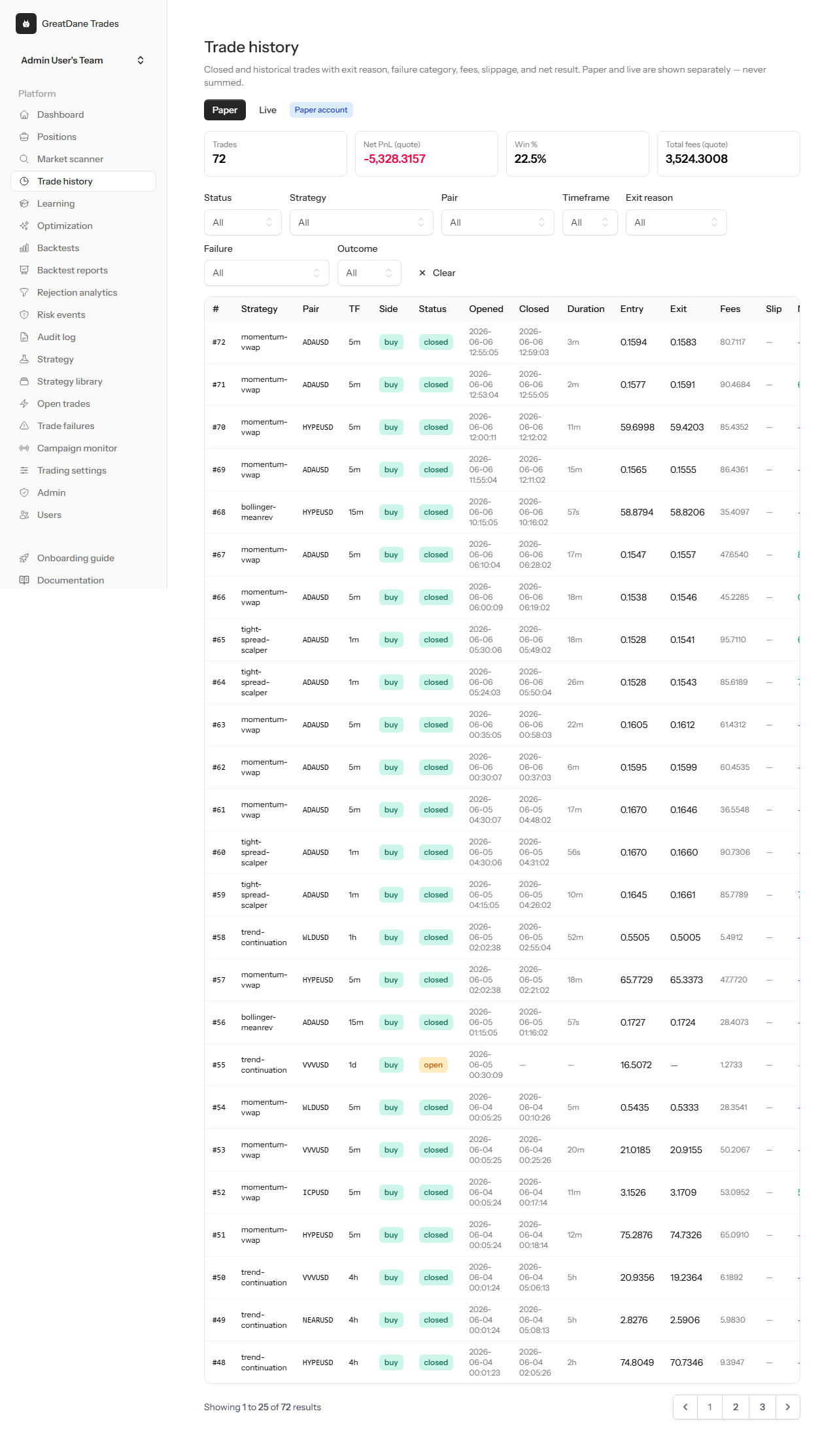
Every closed trade with its exit reason and failure category, fees, slippage, duration and net result, filterable by strategy, pair, side or status. Paper and live are never summed.
Live trading & positions
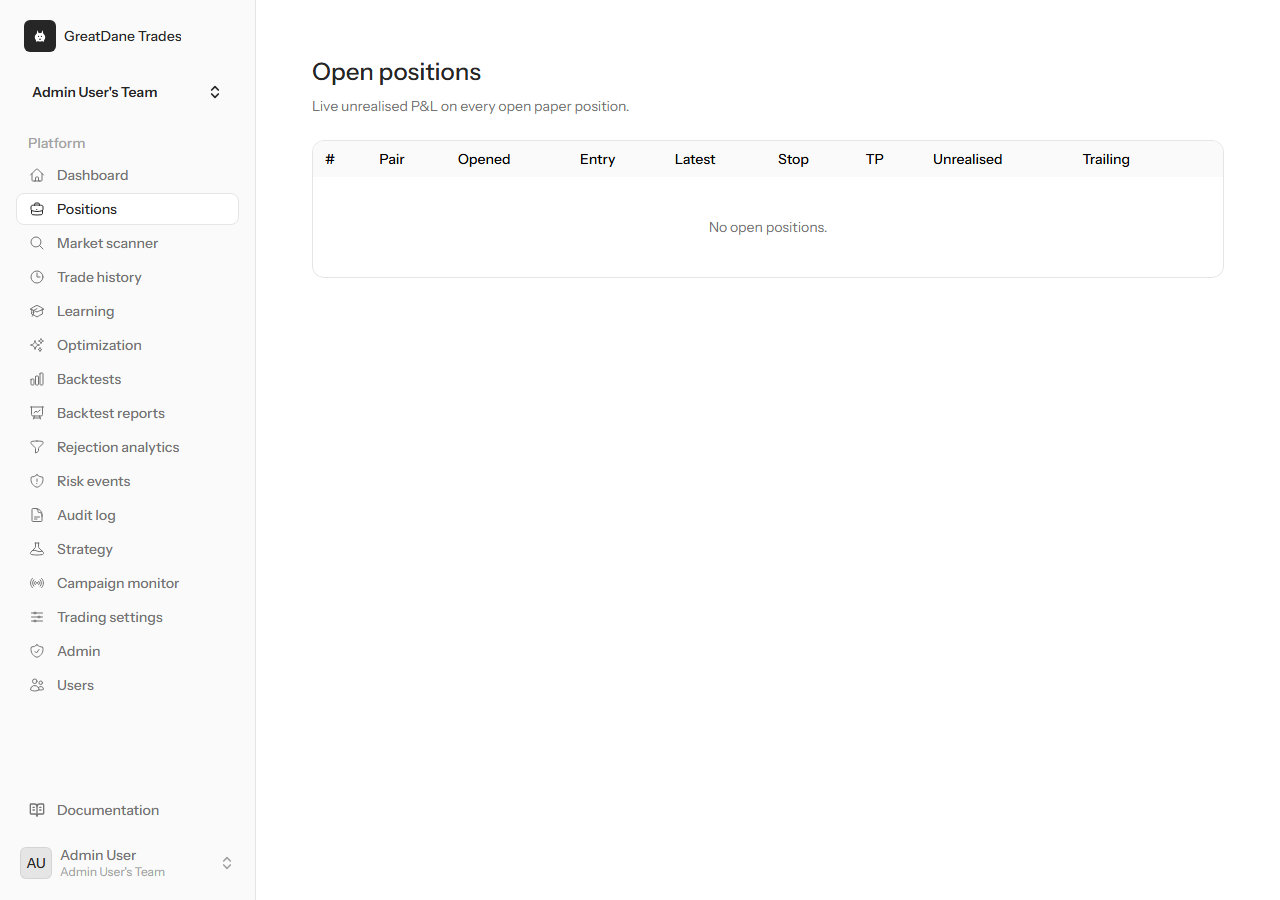
Entry, stop, take-profit, peak price and P&L for every open and recently closed trade.
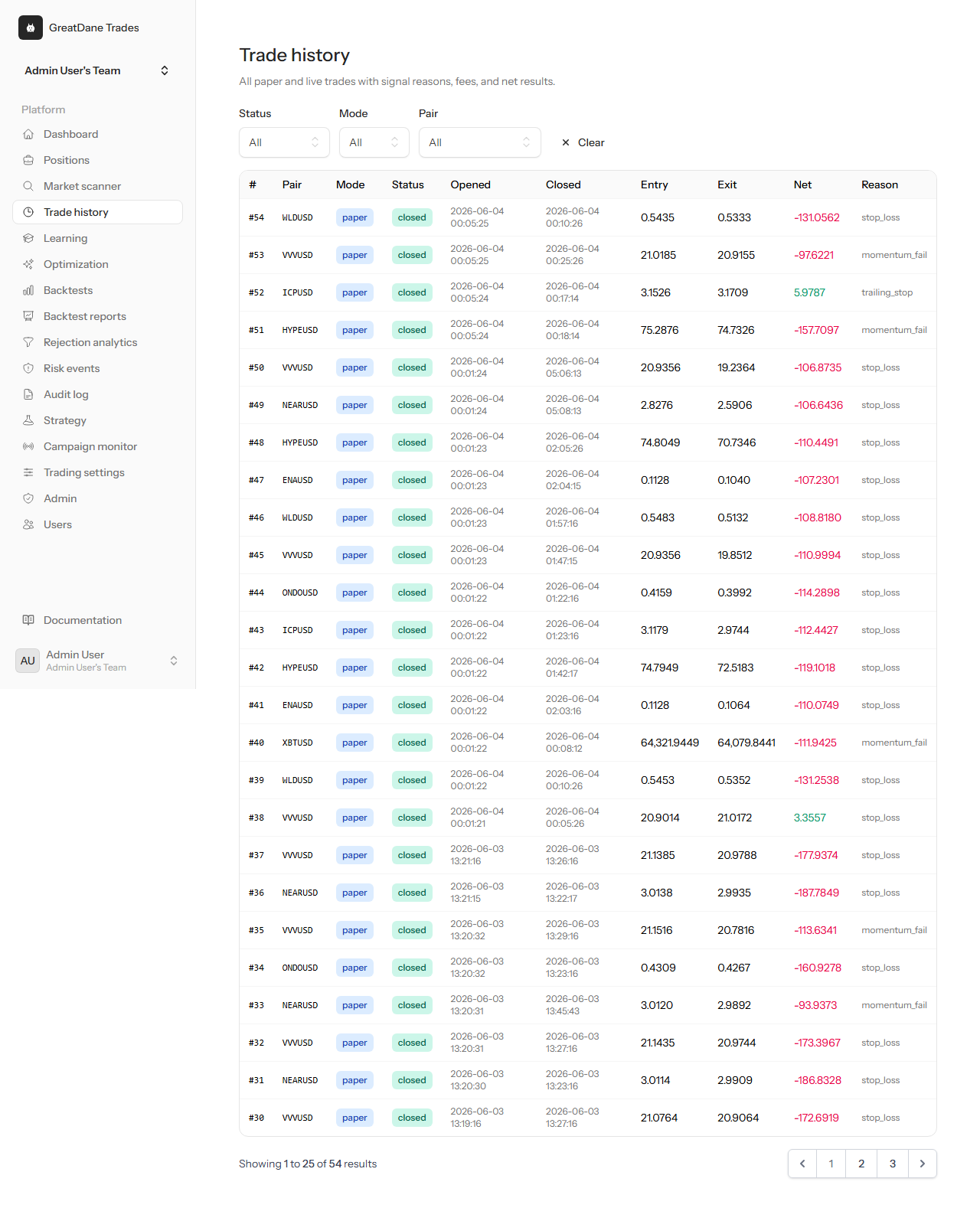
A complete record of past trades so you can review the strategy against what actually happened.
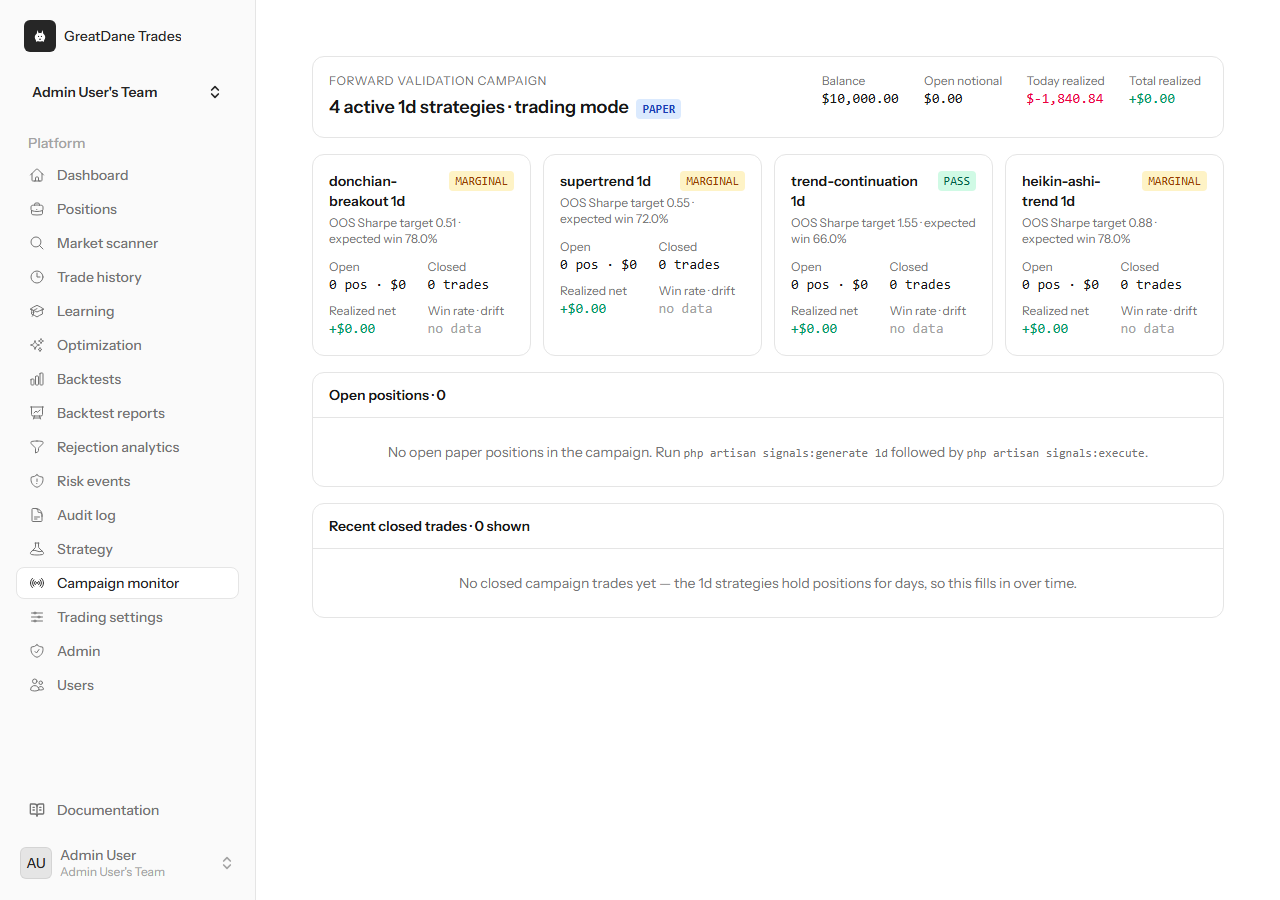
Track a forward-validation campaign over time before committing to anything live.
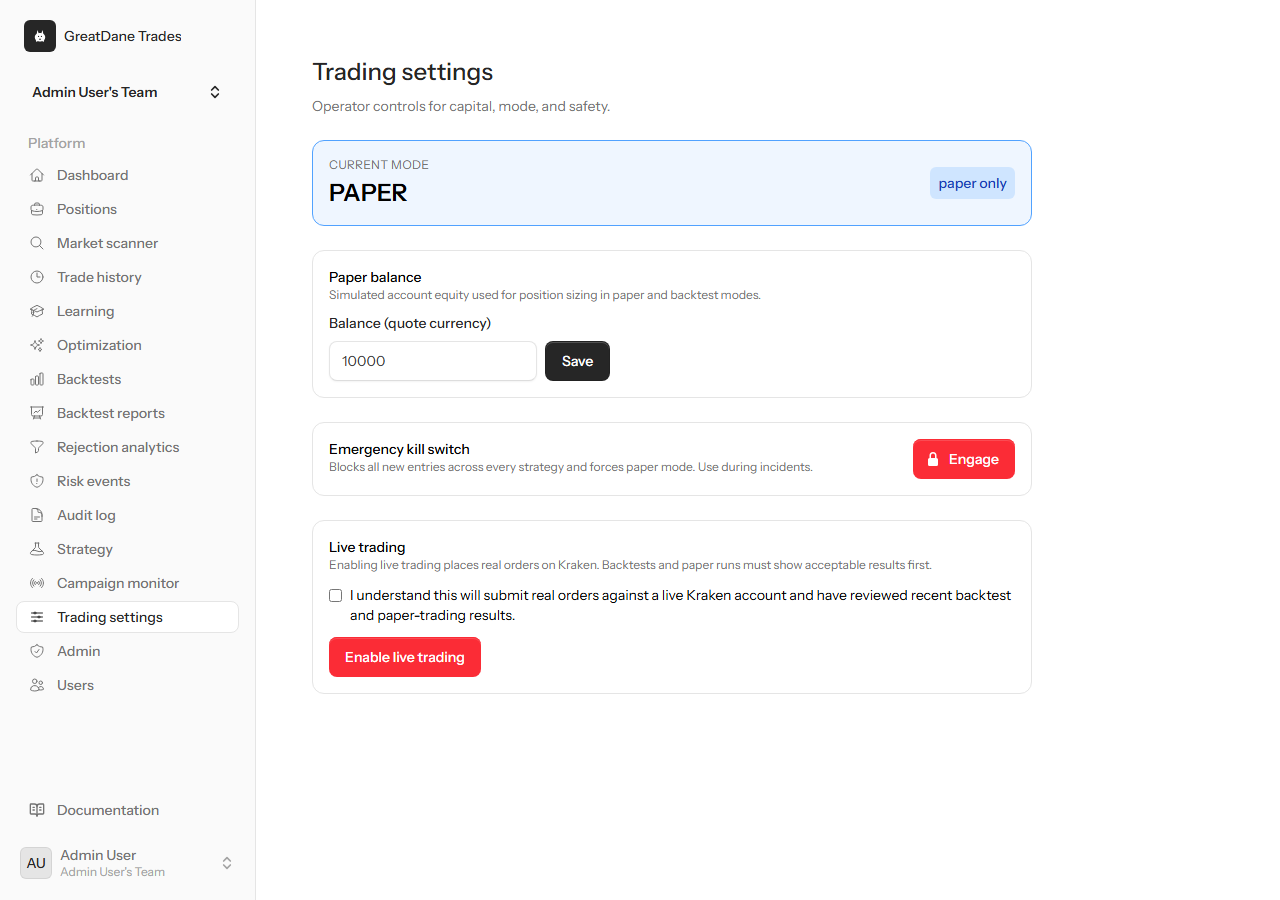
Balance, risk caps and execution preferences in one place, restricted to operator admins.
Risk engine & transparency
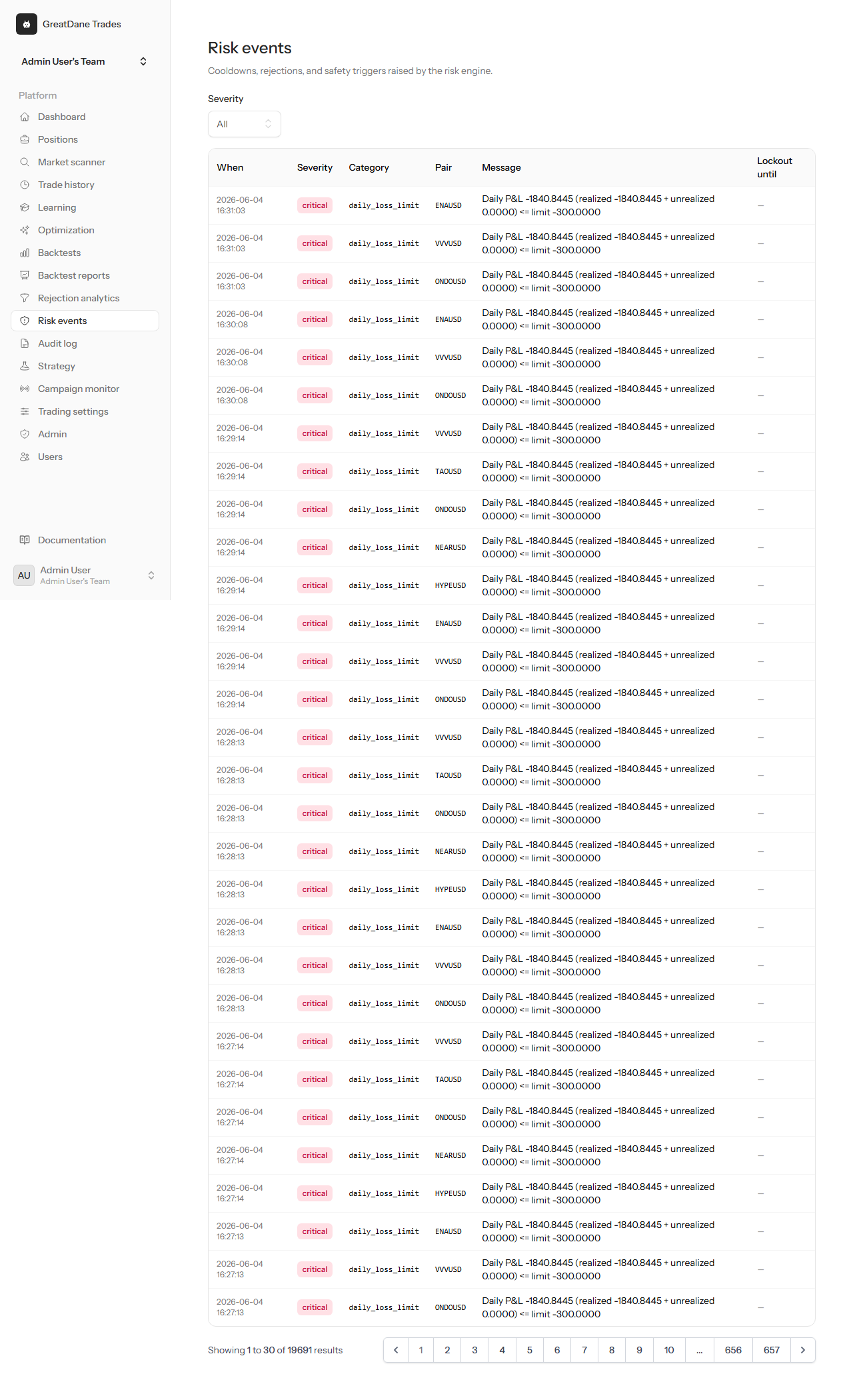
Per-trade sizing, daily loss caps, consecutive-loss cooldowns and kill-switch events — the guardrails that stop one bad run wiping a year.
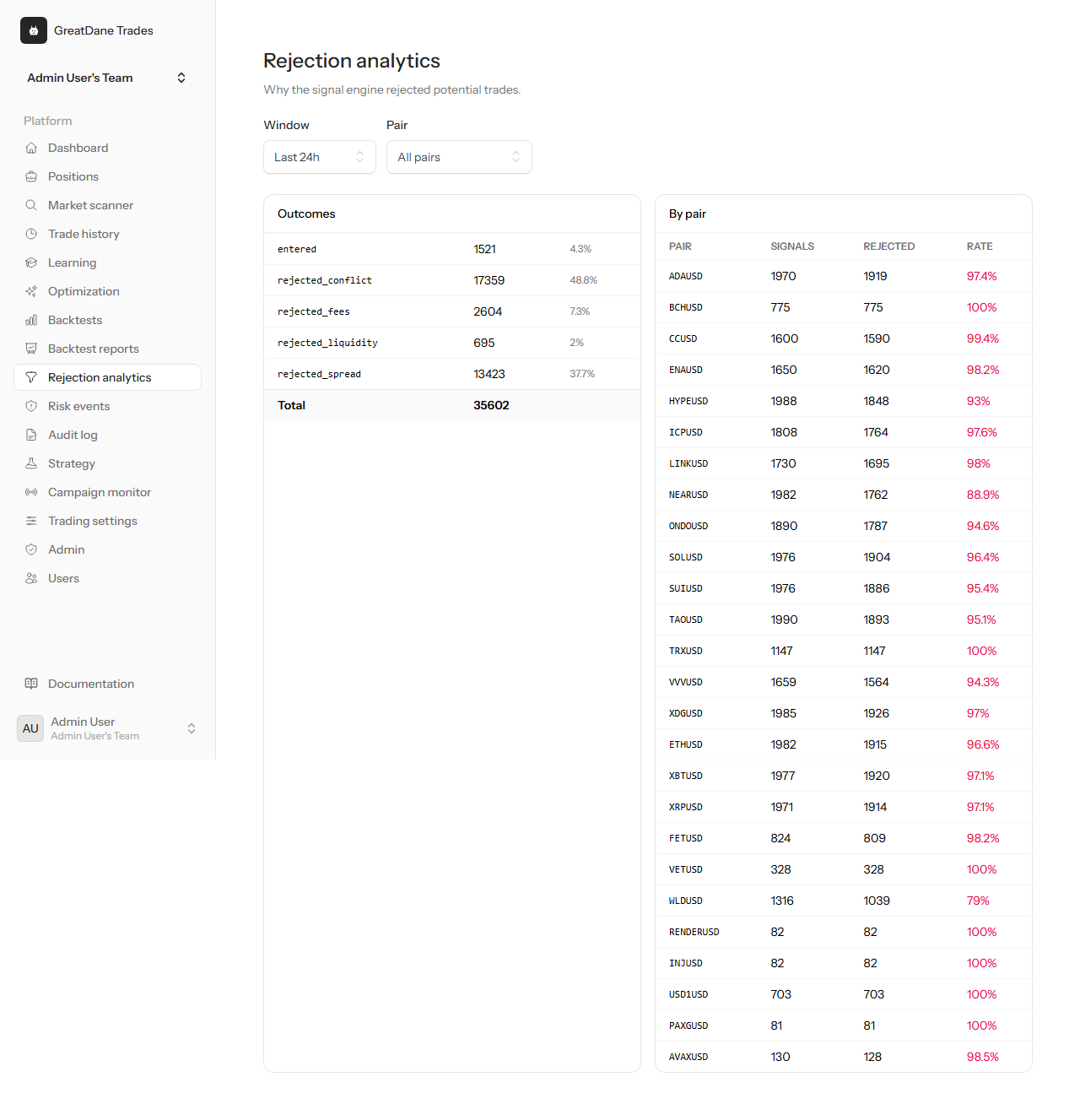
Every rejected signal records the exact reason: stale data, spread too wide, conflicting indicators, cost not beaten, risk lockout.
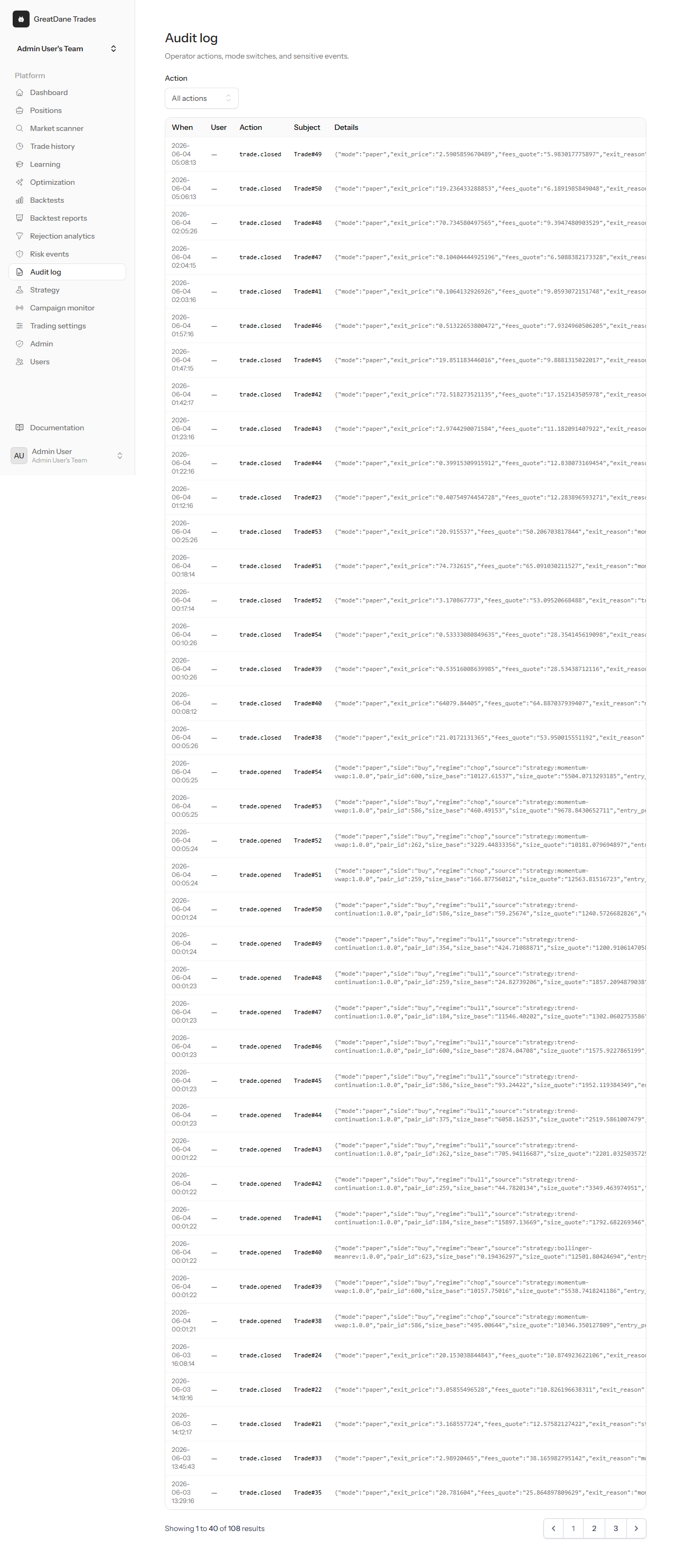
Every operator action — balance change, mode switch, kill-switch toggle — logged with user and IP, so discipline is reviewable.
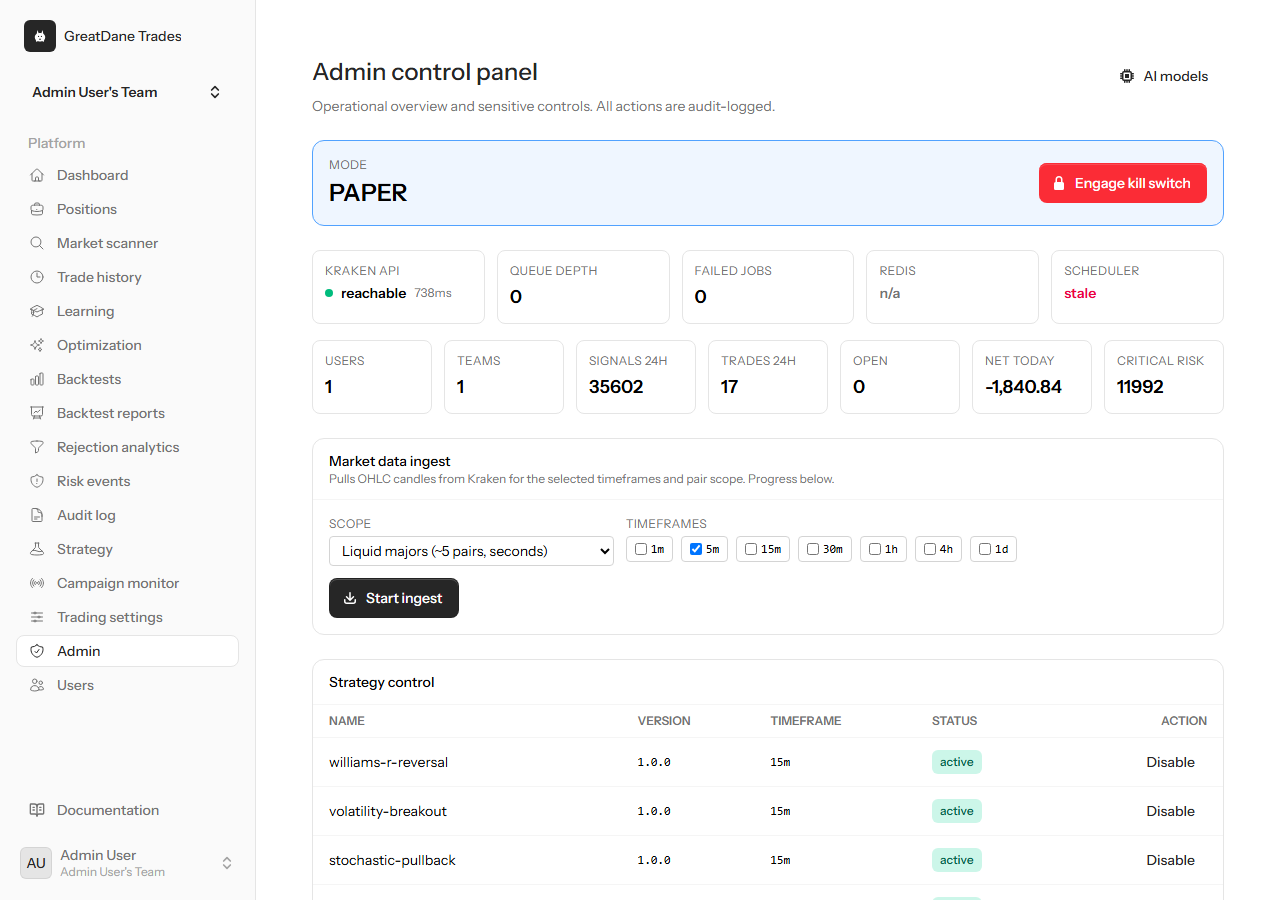
Trading mode, the emergency kill switch and system health, all behind explicit confirmation gates.
Learning & models
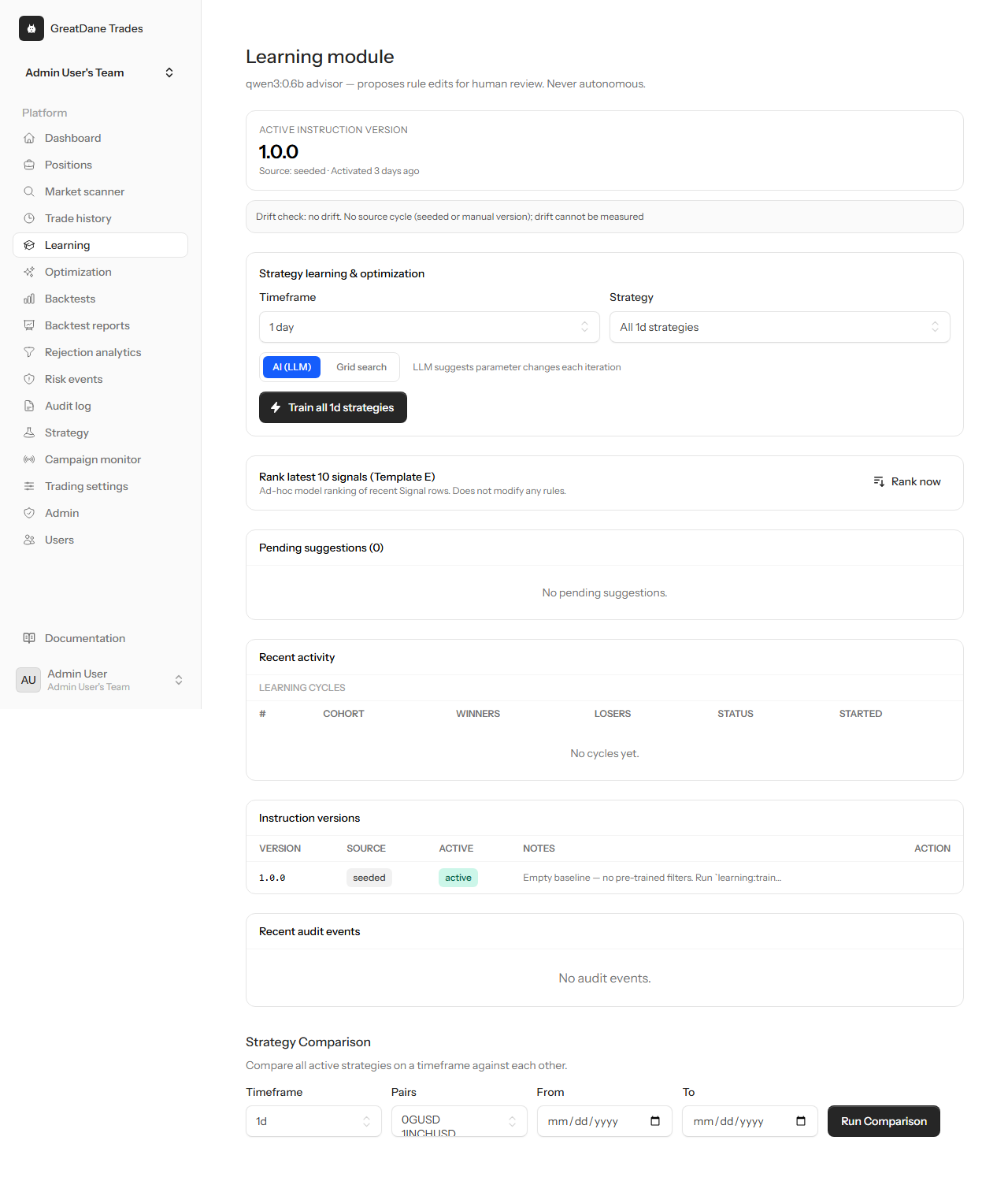
Review optimisation cycles and how strategy parameters evolved, with the evidence behind each change.
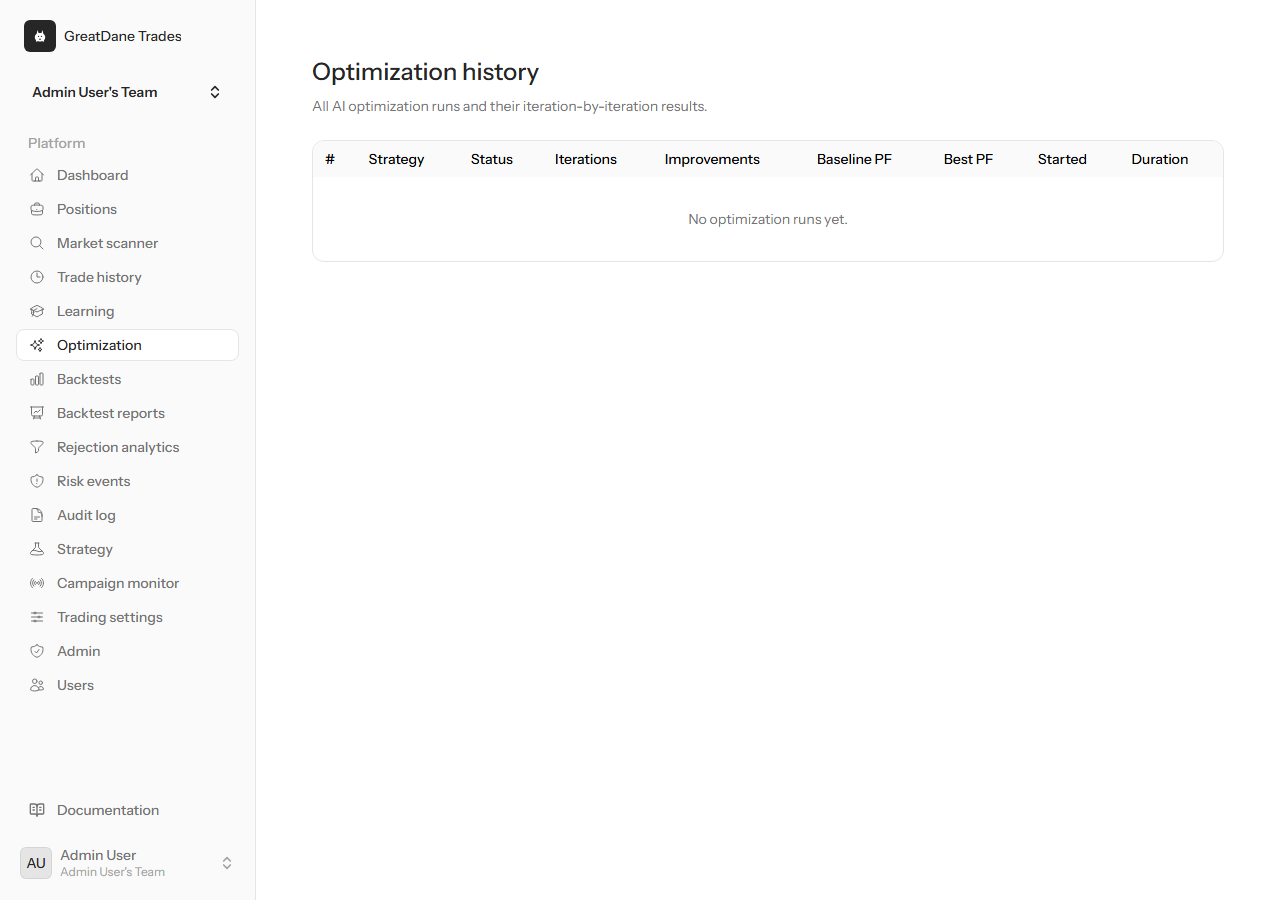
A timeline of past optimisation runs so you can trace why a strategy version was activated.
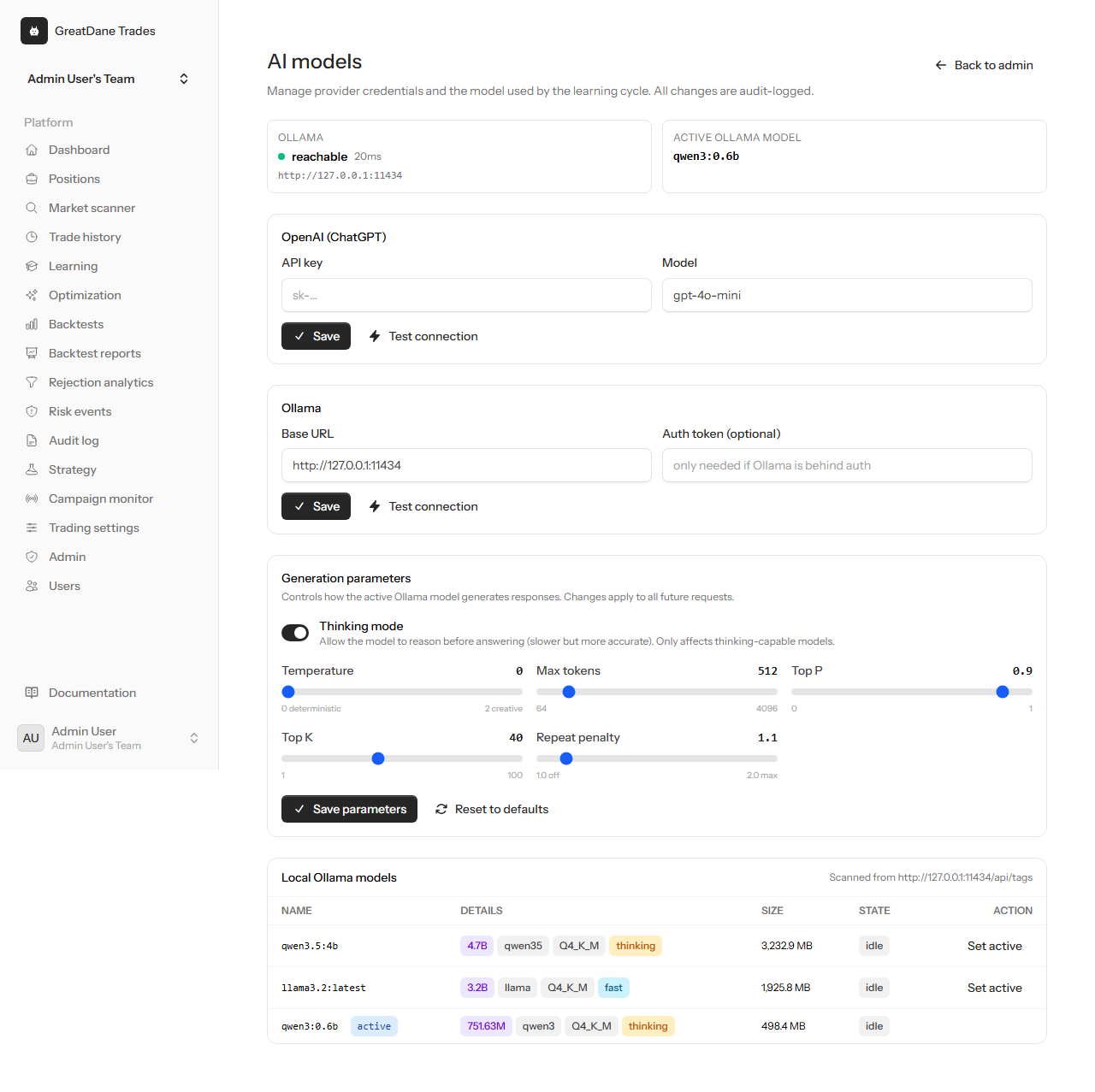
Configure the models the learning module uses. Nothing is applied without passing walk-forward validation first.
Going live on Kraken — safely
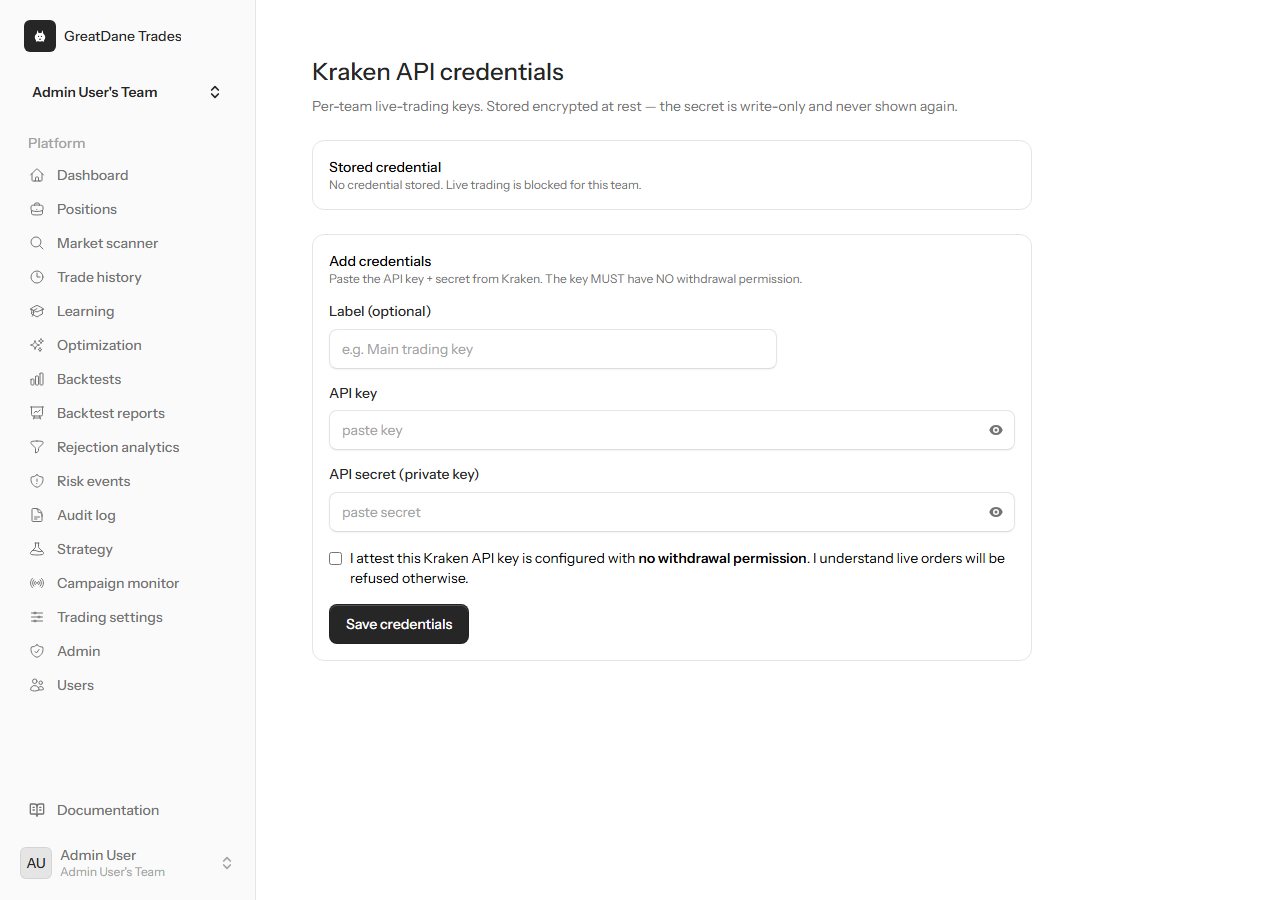
Connect your Kraken API keys when you are ready. Live mode stays blocked while the kill switch is engaged and requires explicit confirmation.
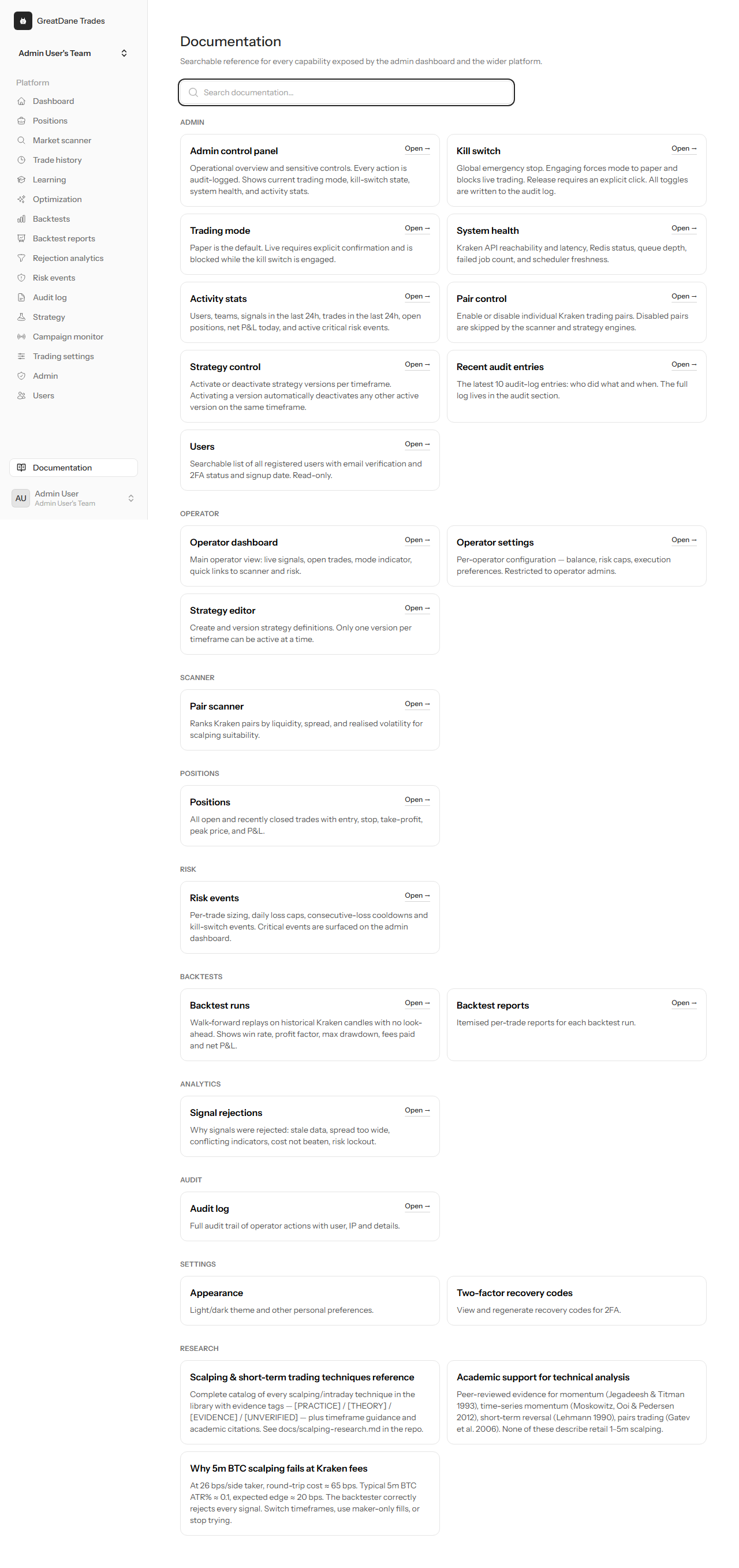
A searchable reference for every capability, available to operators inside the app.
Prove it in paper before you risk a cent.
Run walk-forward backtests, watch the scanner, and paper trade the whole workflow — no real capital at risk until you decide to connect Kraken.
This is not investment advice.
Past performance does not guarantee future results. Backtests are simulations that assume model assumptions hold; real markets can and do diverge. Trading cryptocurrencies involves substantial risk including the total loss of capital. Only use live mode after you have thoroughly validated your strategy in paper trading and fully understand the risks.
Read the full risk disclaimer →